VRoid Tips for both beginners and more advanced folks!
VRoid Studio can be really intimidating when starting out, and as someone who started with no 3D modeling experience and no tablet I 100% feel that! So I tried to put together tips for both just starting out and once you've got a bit more knowledge under your belt that I wish I'd had!
Some beginner tips!
- If you can plan your model concept out before digging into VRoid Studio, it makes model making so so much nicer! Here are some videos on vtuber design from Squiiji, and another from Yam Albat that helped me, and even just a vision board can help!
- VRoid Studio can be as simple or as complex as you want it to be. It’s totally okay to use the presets like a character creator when you’re starting out and add on as you go!
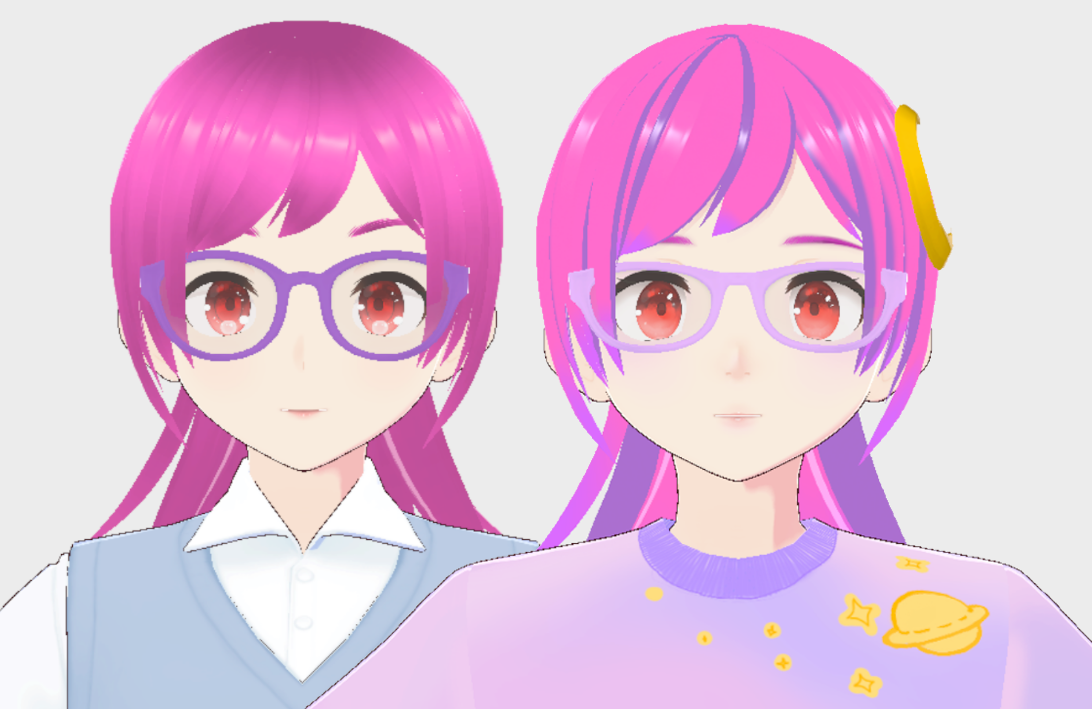
- That being said, a big way to not have a “VRoid Looking” model is to edit as many of the textures as you can. Even a little bit here and there adds up! Like here's how my previous model looked using only unedited presets versus the finished result!
- If you have zero knowledge of 3D model work like I did, I do think it’s worth watching a few tutorials before you dive in, especially the ones I linked in the Vtuber Resources page. (Like had I known that you could go past the maximums on the sliders when making hair textures, it would have saved me so, so much trouble.)
- The first VRoid model you make will almost certainly not remotely match your goals unless you have a fairly solid background in both 3D modeling *and* art. You’re learning a new skill and it’s going to take time and you still made something and that’s amazing! So pat yourself on the back for getting started and try again when you’re ready!
- A lot of learning VRoid hair is both learning that Everything Is Hair and that reducing stuff clipping into each other, usually hair, is super duper important.
- Most likely if your hair’s not moving after export you forgot to add the bones, it happens! (Or you added something new to that section and it deactivated your bones, that also happens)
- BOOTH has tons of free/cheap stuff if the idea of making a VRoid model currently terrifies you!
More advanced stuffs!
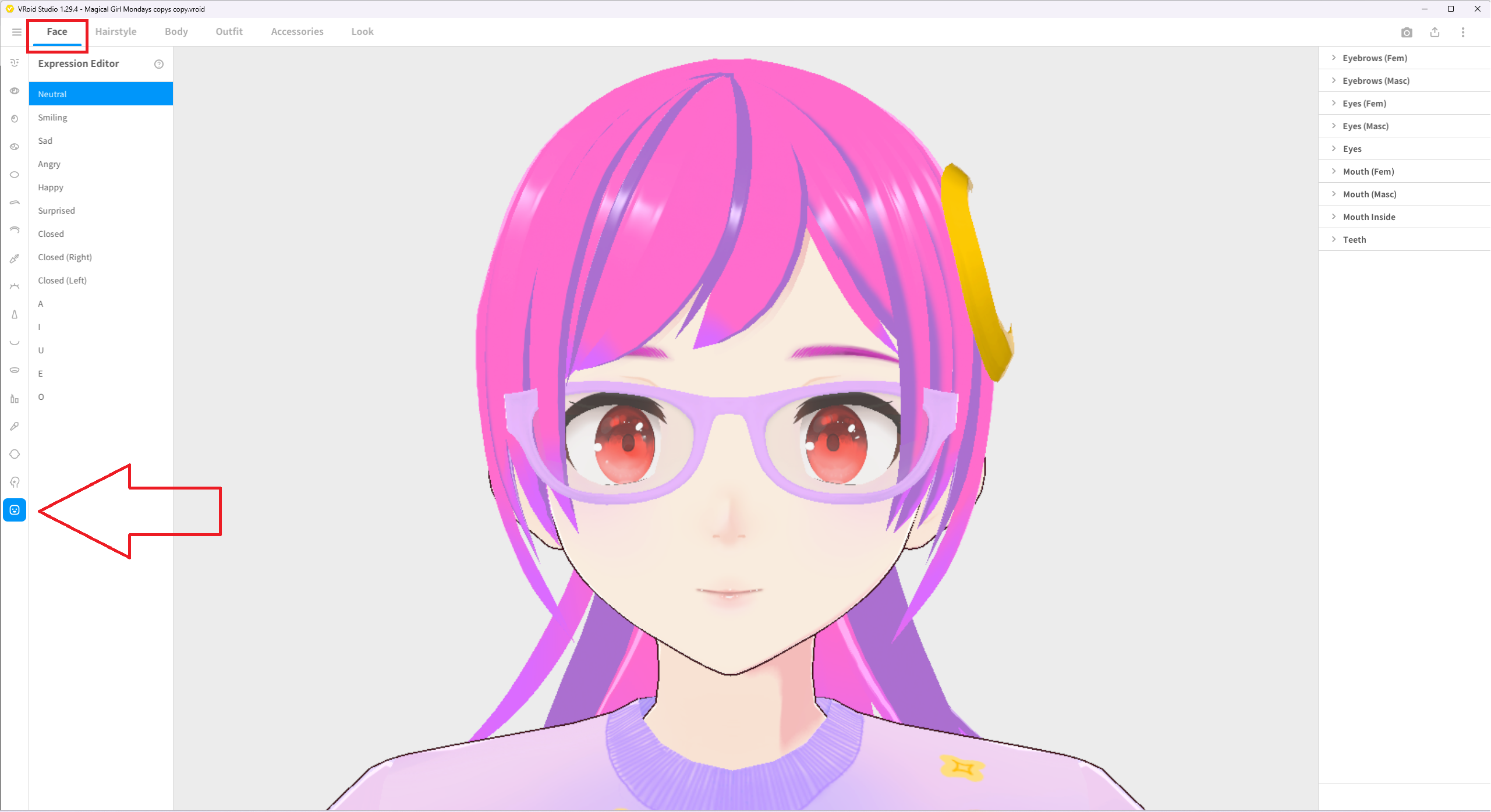
VRoid models have *two* main groups of blendshapes for making facial expressions: the default set that can be edited within VRoid Studio’s Expression Editor (A, I, O, E, U, + Joy, Angry, Surprise, Fun, Sorrow), and ARKit tracking blendshapes, which are usually added in Unity with Hana Tool (~$9 US) or Not Enough Blendshapes (NEB, free with a paid pro option). For starting out editing in the Expression Editor is plenty and can fix a lot of clipping issues! And just in case, the Expression Editor is found in the Face tab, in the bottom left button/option.
But if you wish to use ifacialmocap/iPhone tracking you must add ARKit blendshapes. Here’s a tutorial to do it yourself (it's for copying but it also just gets blendshapes on your model and fast), and if you’re getting your model made ARKit blendshapes should be available from your vtuber parent, often for an additional fee.
- Adding in ARKit tracking, as my original vtuber support parent LUK4 would say, is a Point Of No Return for editing your base model. You can add on Blender and BOOTH items after that, but going back and adding a dress toggle you made in VRoid Studio really means exporting a new copy and starting over.
- Personally I think it’s worth the time to test your model’s movements in your planned tracking software rather than just using the VRoid Studio camera tool, especially for hair clipping. It’s slower, but it’s how I found out that one bit of hair was clipping through everything on one model. (The camera tool’s still great for making sure you’ve added in all your hair bones!)
- The more complex the model work gets, the more likely you’re going to be spending your time in Blender and Unity. (And yes I do mean ‘and.’ I rarely escape using both nowadays.) You’ll get better at both of them and it’s great!
- If you’re adding a ton of hair toggles it is so, so much nicer to plan where they'll be in the hair sections in advance (e.g., add one in Back and one in Extra so they're not all in one hair unit so each edit doesn't muck up all the hair bones)
- Face blendshapes go in first in Unity, then the clothing toggles/other fun stuff, not the other way round, or you’ll find out the face blendshapes going in deleted all your previous work and cry for another half hour of redoing previously finished work.